Tags
HTML is a language that uses opening and closing tags to indicate when parts of the website start, end, and certain properties are needed for specific parts of the website. Not every tag has an associated closing tag, but for the sake of simplicity we will start our explanation with the <html> tag.

The tag type is marked between a less than and greater than sign. In a closing tag, which is always after the opening one, there is an additional slash included after the less than symbol and before the tag type name. A list of many tags and their purposes can be found at w3schools.com. Tags can be infinitely nested inside one another, but of course there is still some amount of order between these tags.
Basic Website Foundation
As a standard, most websites follow the same foundational tag layouts to keep things organized. This is the basic foundation that a website can be built off of:
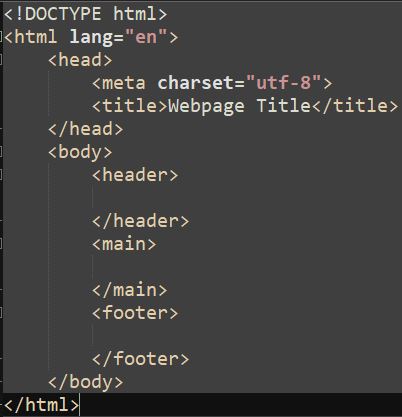
Now of course, this may look a bit overwhelming, so let’s break it down one tag at a time.
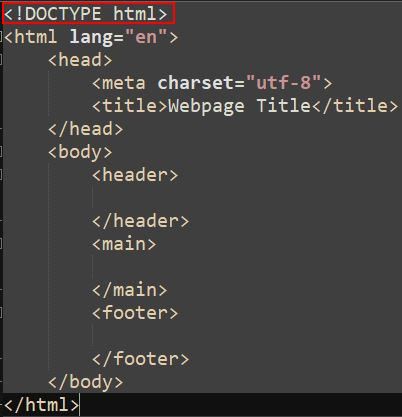
This <DOCTYPE> defines the version of HTML that this website uses. You don’t have to worry too much about it, just make sure it’s the first line in your .html file.
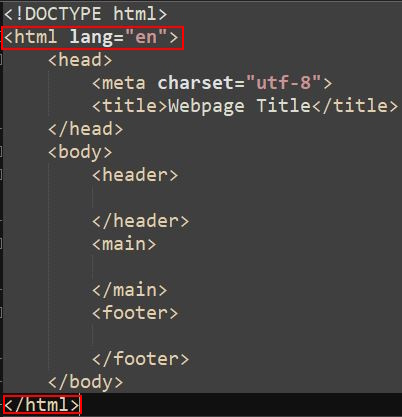
Next, we have the <html> tag. This tag defines the website as a whole, so it should be the 2nd and last lines of your document. You may have noticed that there is a little something extra included with the opening tag. lang=”en” is a property that is being assigned to that tag. In this case, the language (lang) is being set (=) to English (“en”). What the property is being set to must ALWAYS be encased within double quotes.
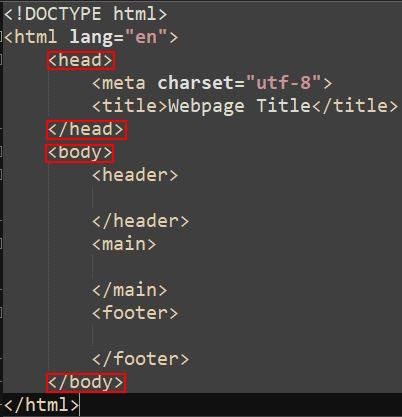
Inside the html tag we have the <head> and <body> tags. These are essentially the two main parts of a website. Anything within the head tag is usually for setting up the website, or providing info to the browser about what the website needs to function. Some examples of this could be links to external stylesheets, defining the title of the website, and more. The body tag contains all primary content in the website, essentially anything you can visually see on your browser. These could be images, text, audio, and other things.
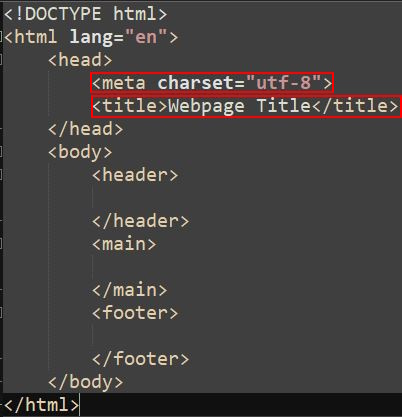
The <meta> and <title> tags, while not required, are good to have included within your head tags. The function of meta is not important for what you're learning, but the title tag defines what the browser will display as the title of the website. This may differ based on what browser one is using, but it will always be displayed as the text on the top tab.
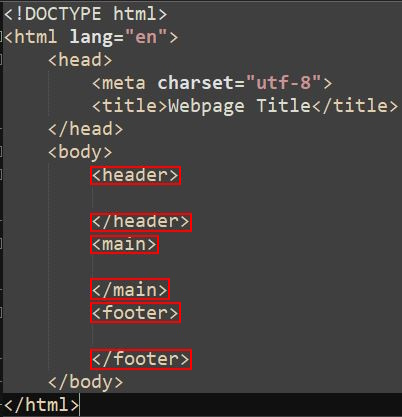
The body tag can be further divided into three main sections of the visual aspects of the webpage. <header> defines the content at the TOP of the website, while <footer> defines the content at the BOTTOM of the website. <main> is everything in between.
Adding Text and Links
While we aren’t quite onto implementing media yet, no website would be a website without some form of text. In HTML, there are several divisions of text that can be used to better organize a webpage even without CSS. For example, these are four of those tags:
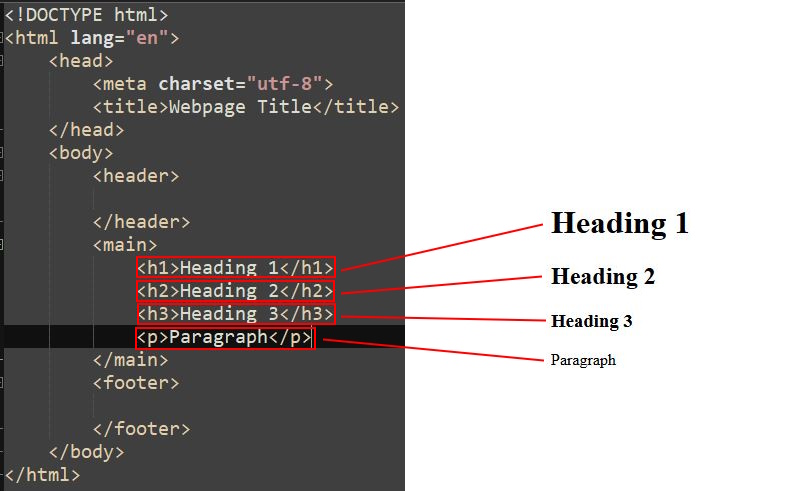
The first three are heading tags, with <h1> being the biggest in size and the size decreasing as the number in the tag name increases. <p> is a paragraph tag, which is used to mark regular text. Think of it like in a book, you wouldn’t have the chapter titles and story all in a big or small font, it would just be the chapter titles in a large font and the story in a smaller font, so it’s easier to distinguish the two from each other.
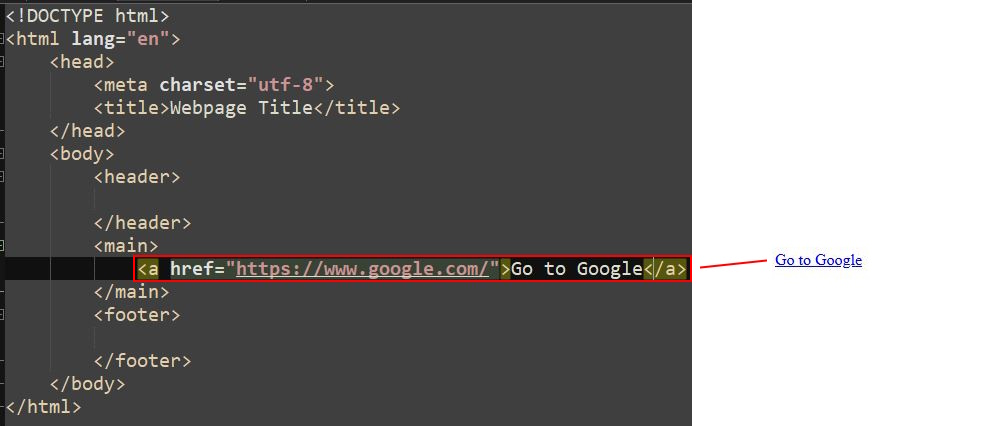
Links are a little more complicated. Links can be created using the <a> tag, and the destination it goes to is actually defined using properties. The link it will take the user to is listed as the value of the href property, while the text between the actual tags is the text displayed in the webpage.
What next?
Great! You’ve created the foundation for a website! However, as I mentioned previously, it doesn’t have any images or audio. Let’s fix that in the next step!